 Bermuda Breeze
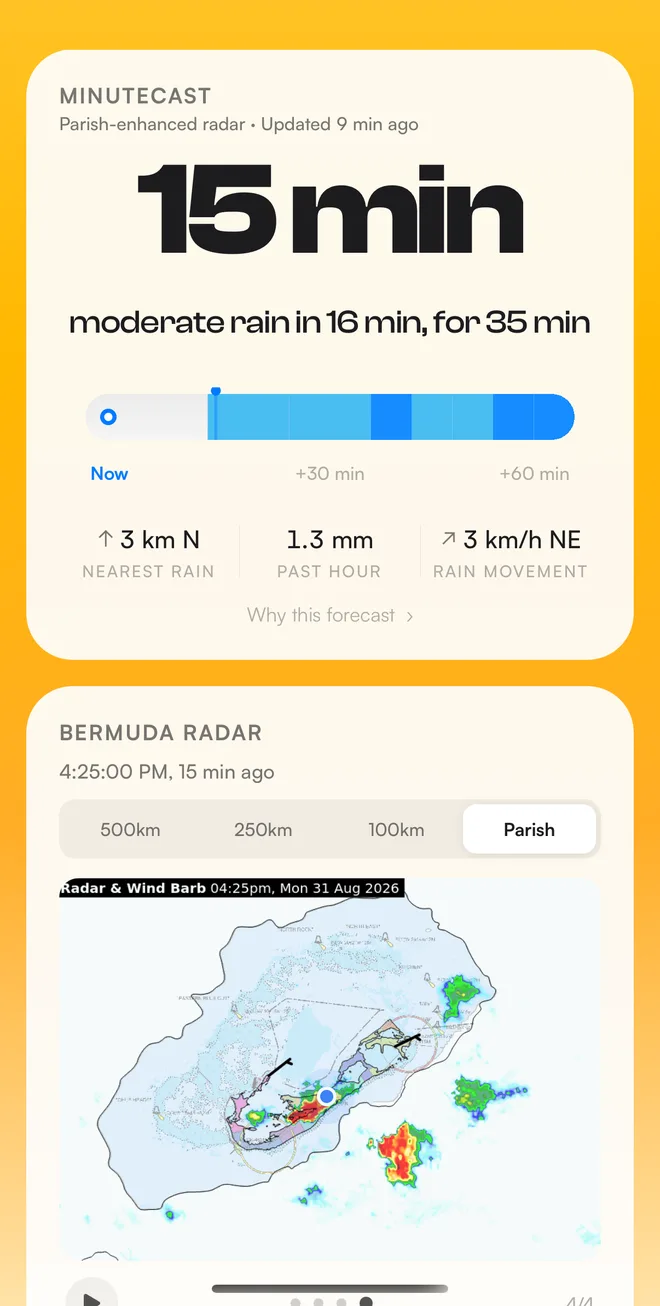
MinuteCast
A normal forecast tells you there's a chance of showers this afternoon. MinuteCast tells you the shower over Paget will reach you at 3:42 and stay for about half an hour.
Moderate rain in 16 min, for 35 min
-
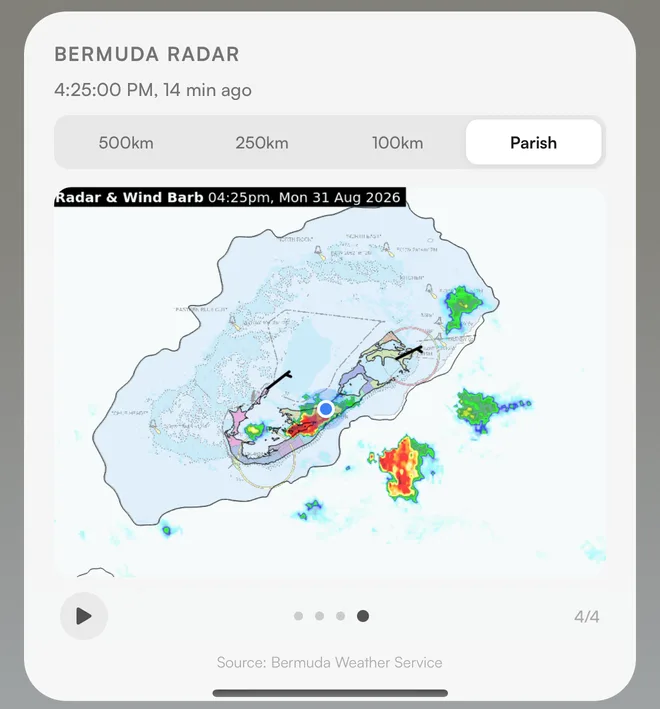
It reads the radar
Every new sweep from the Bermuda Weather Service radar is pulled in as soon as it's published.
-
It tracks each rain cell
Like a forecaster would, it follows every cell from frame to frame to measure which way it's heading and how fast.
-
It plays the next hour forward
Those cells are moved ahead over your location to work out when rain starts, how heavy it gets, and when it stops.
It tells you how sure it is.
- Confidence you can see
- Each forecast shows how fresh the radar is. Tap "Why this forecast" to see what's behind the call.
- "Rain possible nearby"
- When a shower is close but could slip past, Breeze says so instead of promising you a soaking or a dry walk.
- Honest when the radar is down
- If the radar stops updating, the countdown is marked as stale rather than quietly guessing.
Made for island life
Not a global weather app with Bermuda bolted on. Everything here is tuned for 21 square miles in the middle of the Atlantic.
- Tank water
- Rainfall for the past 7 and 30 days, and an estimate of the gallons your roof collected. Set your roof size once.
- Tides
- St. George's tide times and tide curves, up to five days ahead.
- Marine
- Wave height, swell period, sea state and sea temperature, inside and outside the reef.
- Sun
- First light, sunrise, sunset, last light, and how much daylight is left.
- Forecasts with depth
- Hourly for 12 days, daily for 14, plus a wind timeline with gusts and a live compass.
- Your layout
- Rearrange, resize or remove any widget. Fahrenheit or Celsius, feet or metres.
- Three languages
- English, Portuguese and Tagalog.
- Travelling?
- Search any city in the world for its full forecast. The island widgets wait for you at home.
Get the app
Bermuda Breeze is free, with no ads and no account. On iPhone it's on the App Store. On Android it isn't on Google Play yet, so you download it straight from us.

Scan with your phone's camera to install
- Needs Android 7.0 or newer
- Uses your location only while the app is open
Check the download
The file is bermuda-breeze-1.8.6.apk, signed by Boondoggle
Games. Its SHA-256 checksum is
5e853497fe3817abf9119a21e3fbfd66ae23ee02098ae56db987fb496826ffe5.
Every version is signed with the same certificate, SHA-256
C0:96:5E:76:44:E9:DB:34:FA:78:B5:F6:58:14:8D:84:DB:34:A7:D7:56:92:03:21:DB:E3:67:65:D0:36:94:EA.
Installing takes a minute
-
Download the file on your Android phone, using the button or the QR code.
-
Open it from the download notification, or from the Downloads folder in your Files app.
-
Allow the install. If Android says your browser can't install apps, tap Settings, turn on "Allow from this source", then go back.
-
Tap Install, then open Bermuda Breeze and allow location so it can forecast for your parish.
Google Play Protect may say it doesn't recognise the app. That's because it isn't in the Play Store yet. Tap "More details", then "Install anyway".
To update, download the newest version from this page and install it over the old one. Your settings stay put.